
Javascript
Hands-on JavaScript projects and guides for building interactive websites.
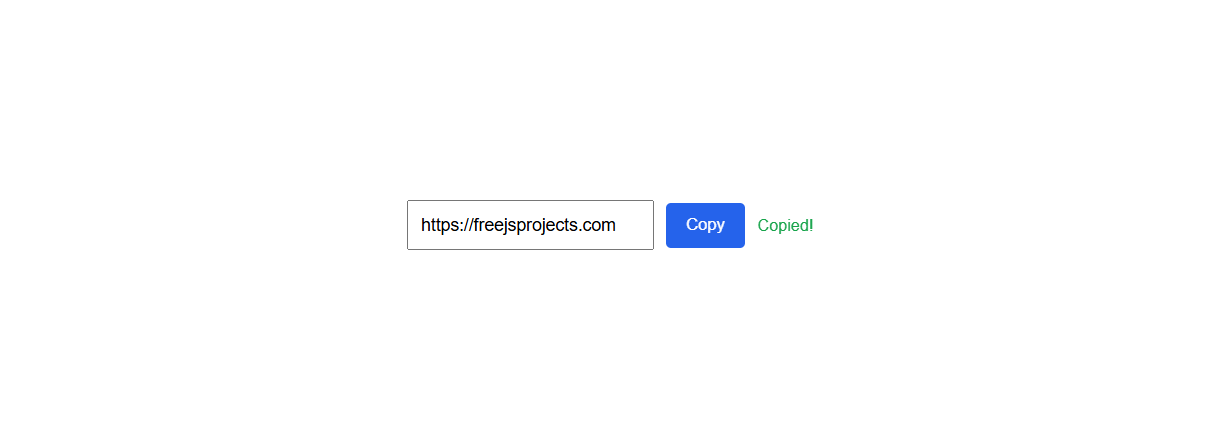
Copy-to-clipboard is one of the most common interactions on modern websites.
You see it everywhere:
copying code snippets
copying API keys or tokens
copying referral links
copying commands from documentation
Yet, many implementations are either:
unreliable
insecure
visually confusing
or built using outdated hacks
In this article, we’ll understand why copying is not as simple as it looks, explore the correct modern solution, and then build a polished copy-to-clipboard feature step by step using JavaScript.
Most beginners think copying text is trivial:
“Just select text and copy it.”
But from a user’s perspective:
manual selection is slow
mobile selection is frustrating
users want one-click actions
users expect clear feedback
A poor copy experience leads to:
confusion (“Did it copy?”)
repeated clicks
broken trust in the interface
So the real problem is not copying text —
it’s copying text clearly and reliably.
document.execCommand('copy')Older implementations rely on this pattern:
document.execCommand('copy');
Problems:
deprecated API
inconsistent browser behavior
poor mobile support
security restrictions
Modern browsers strongly discourage this approach.
The Clipboard API is a modern, secure JavaScript API that allows web applications to:
write text to the clipboard
read text from the clipboard (with permission)
It works:
asynchronously
only on secure origins (HTTPS)
with proper user interaction
This makes it safe, reliable, and future-proof.
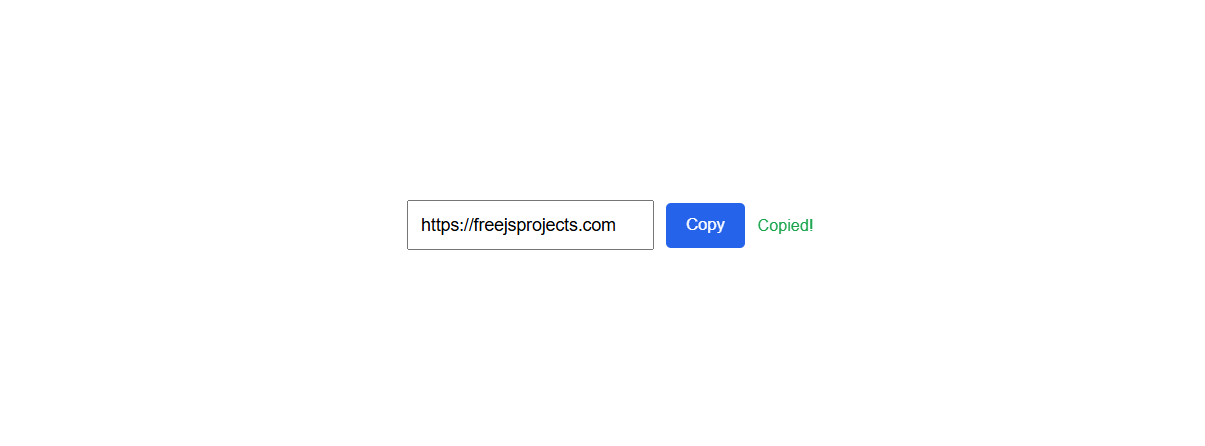
✔ Clean copy button
✔ Modern layout
✔ Visual feedback on success
✔ Accessible interaction
✔ Works on desktop & mobile
<div class="copy-box">
  <input
    type="text"
    id="copyText"
    value="https://freejsprojects.com"
    readonly
  />

  <button id="copyBtn">Copy</button>

  <span class="copy-status" id="copyStatus"></span>
</div>
input[readonly] → allows selection but prevents editing
button → clear call-to-action
status text → user feedback
wrapped inside .copy-box → reusable component
This structure works well in:
blogs
dashboards
documentation pages
admin panels
.copy-box {
  max-width: 420px;
  margin: 40px auto;
  display: flex;
  gap: 10px;
  align-items: center;
  font-family: sans-serif;
}

.copy-box input {
  flex: 1;
  padding: 10px;
  font-size: 14px;
}

.copy-box button {
  padding: 10px 16px;
  background: #2563eb;
  color: #fff;
  border: none;
  cursor: pointer;
  border-radius: 4px;
}

.copy-box button:hover {
  background: #1d4ed8;
}

.copy-status {
  font-size: 13px;
  color: #16a34a;
  min-width: 80px;
}
compact and readable
clear focus on action
responsive by default
easy to theme later
no framework dependency
const copyBtn = document.getElementById('copyBtn');
const copyText = document.getElementById('copyText');
const copyStatus = document.getElementById('copyStatus');

copyBtn.addEventListener('click', async () => {
  try {
    await navigator.clipboard.writeText(copyText.value);
    copyStatus.textContent = 'Copied!';
  } catch (error) {
    copyStatus.textContent = 'Failed';
  }

  setTimeout(() => {
    copyStatus.textContent = '';
  }, 2000);
});
const copyBtn = document.getElementById('copyBtn');
Selects the copy button for interaction.
const copyText = document.getElementById('copyText');
Gets the text we want to copy.
const copyStatus = document.getElementById('copyStatus');
Used to show feedback to the user.
copyBtn.addEventListener('click', async () => {
Clipboard API requires user interaction
async is required because clipboard access is asynchronous
await navigator.clipboard.writeText(copyText.value);
securely writes text to clipboard
works only on HTTPS
returns a promise
copyStatus.textContent = 'Copied!';
Immediate feedback reassures the user.
catch (error) {
  copyStatus.textContent = 'Failed';
}
Prevents silent failures on unsupported browsers.
setTimeout(() => {
  copyStatus.textContent = '';
}, 2000);
Keeps UI clean and avoids clutter.
Without feedback:
users click multiple times
users lose confidence
UX feels broken
With feedback:
users trust the system
interaction feels instant
UI feels polished
✔ Modern and secure
✔ Works across modern browsers
✔ No deprecated APIs
✔ Clear user feedback
✔ Beginner-friendly code
✔ Easy to reuse in any project
code snippets
API keys
referral links
coupon codes
admin dashboards
Copy-to-clipboard is a small feature, but small UX details make a big difference.
When implemented properly:
your UI feels professional
your users feel confident
your code stays future-proof
This is the kind of feature that separates tutorial-level projects from real-world applications.
Happy Coding ! 🚀
Comments